
MR Lite · the driver app
Photograph the labels. Your route is ready.
Point the camera and photograph your packages in a row. MR Lite reads each address while you keep going, puts the stops in the best order and takes you to the door, one delivery at a time.


Free trial on both stores
Every minute typing addresses is one delivery less.
Typing addresses, guessing the order and writing deliveries on paper eat your day. MR Lite does that part for you.
Today, without the app
- You type every label address into the map, letter by letter.
- You guess the order and drive through the same neighborhood twice.
- You open order after order to find out which door comes next.
- You end the day with no proof to show whoever hired you.
With MR Lite
- One photo and the address is already on the route.
- The best order is ready, with distance and time before you leave.
- One stop at a time on screen, with navigation in one tap.
- A day summary ready to send, stop by stop.
How the day works
Three taps between the package and the road
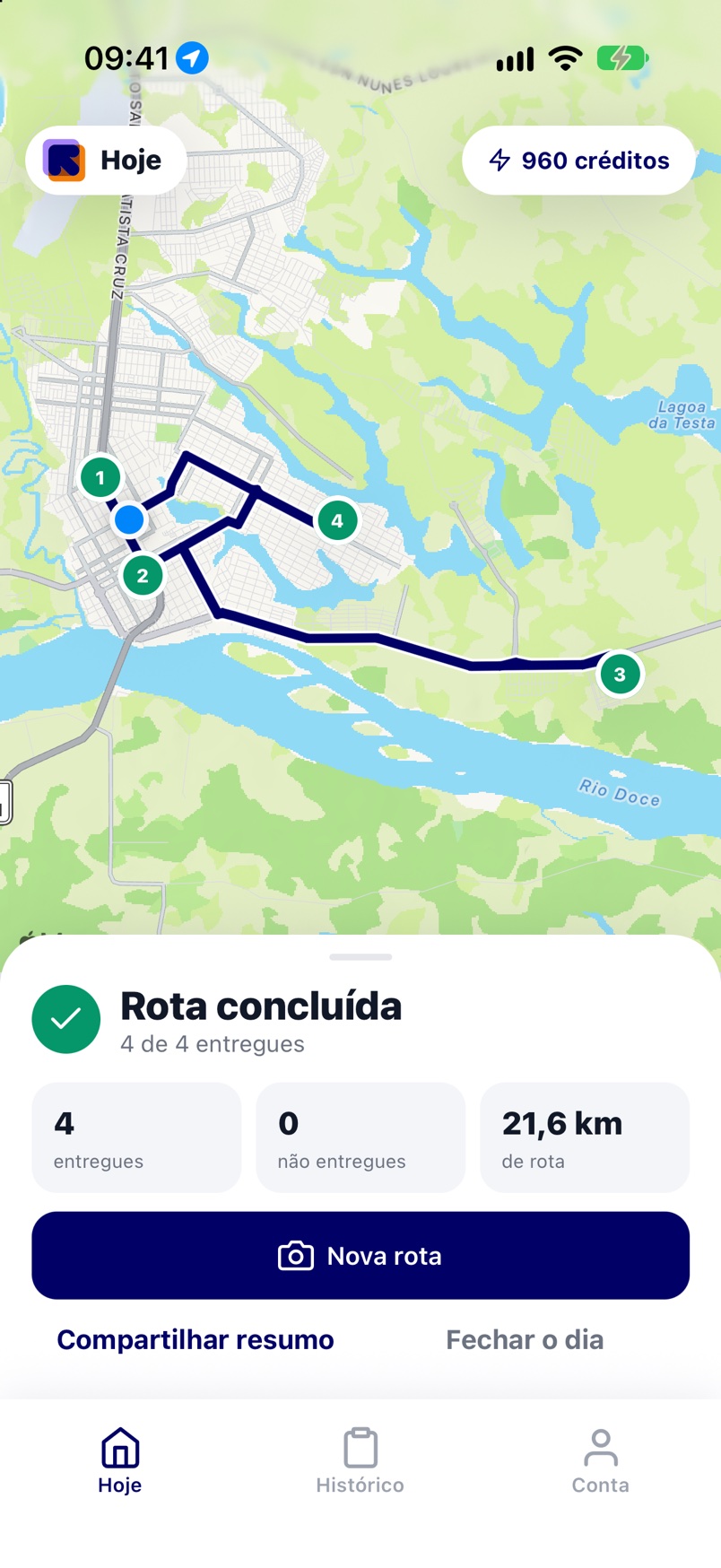
These are real screens from the app.
- 1
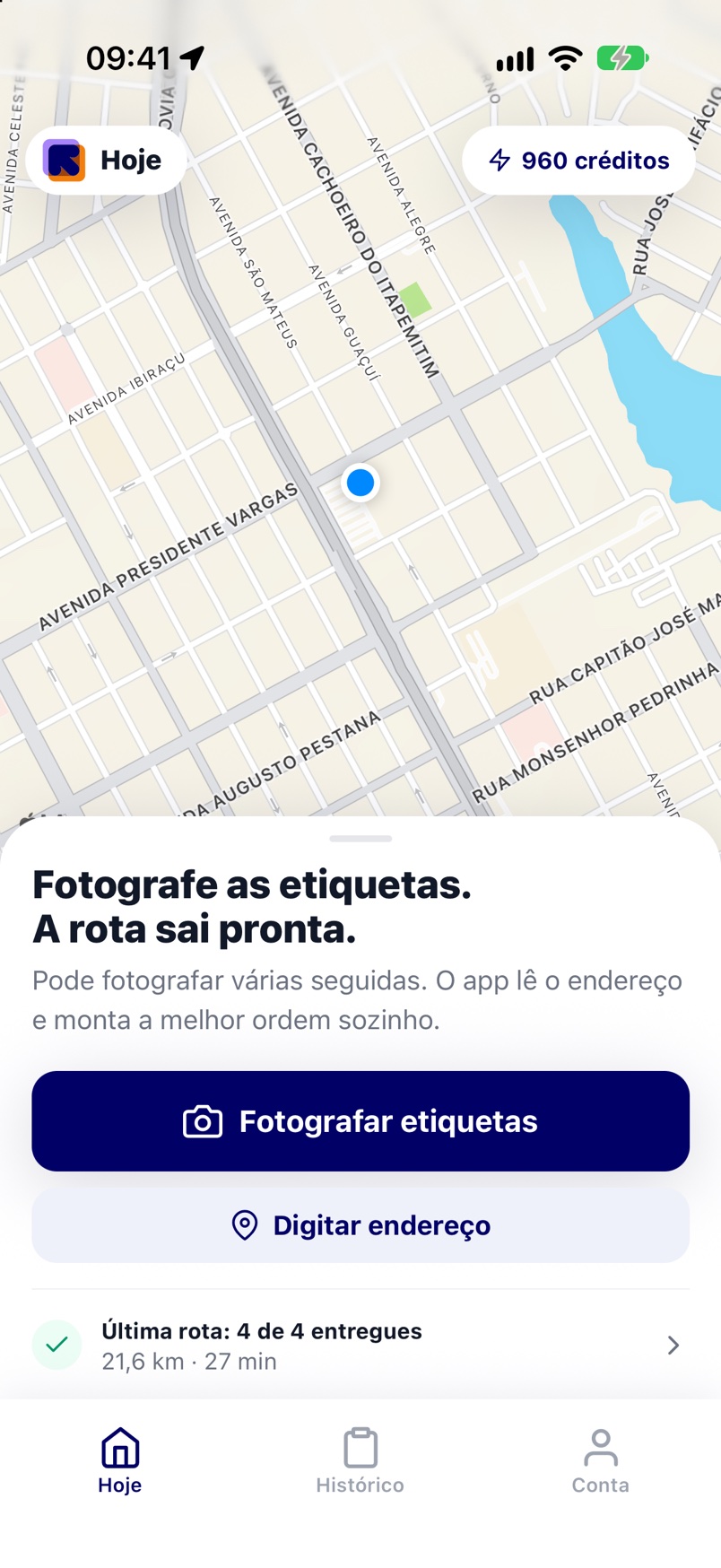
Photograph the labels
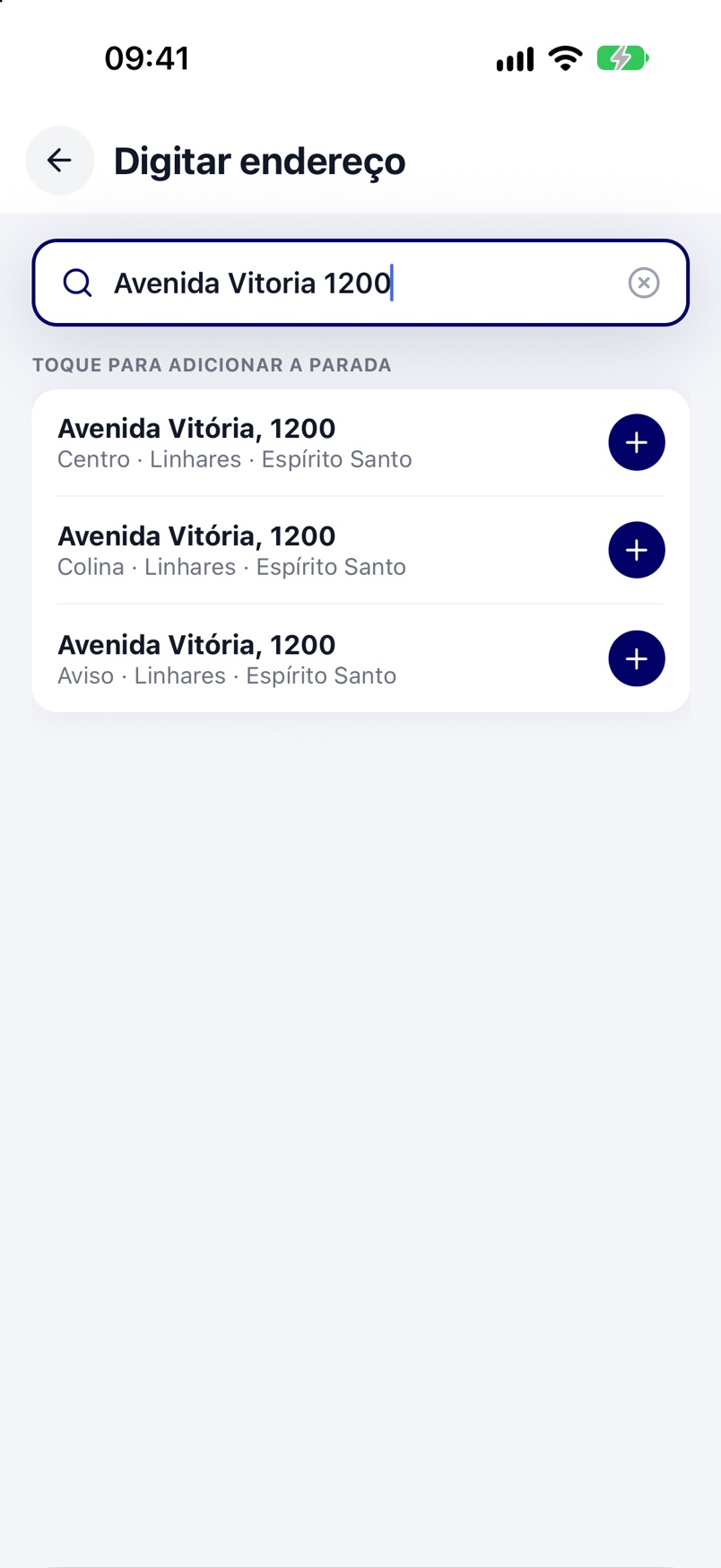
One photo after another, no waiting. The app reads the name and address while you photograph the next one. No label on the package? Type the address into search.
- 2
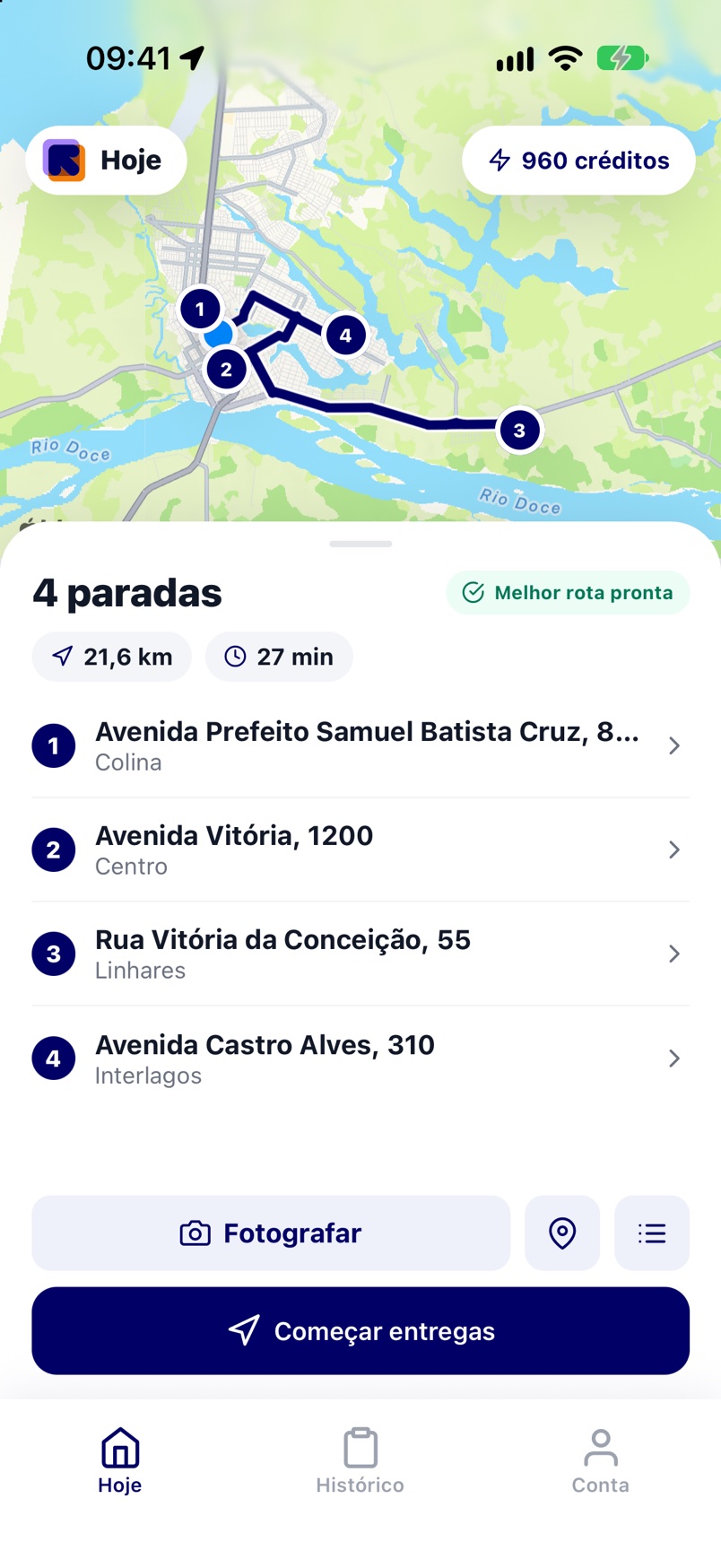
Your route is ready
When you leave the camera the stops are already in the best order, with distance and time on the map. Remove or add a package and the route rebuilds itself.
- 3
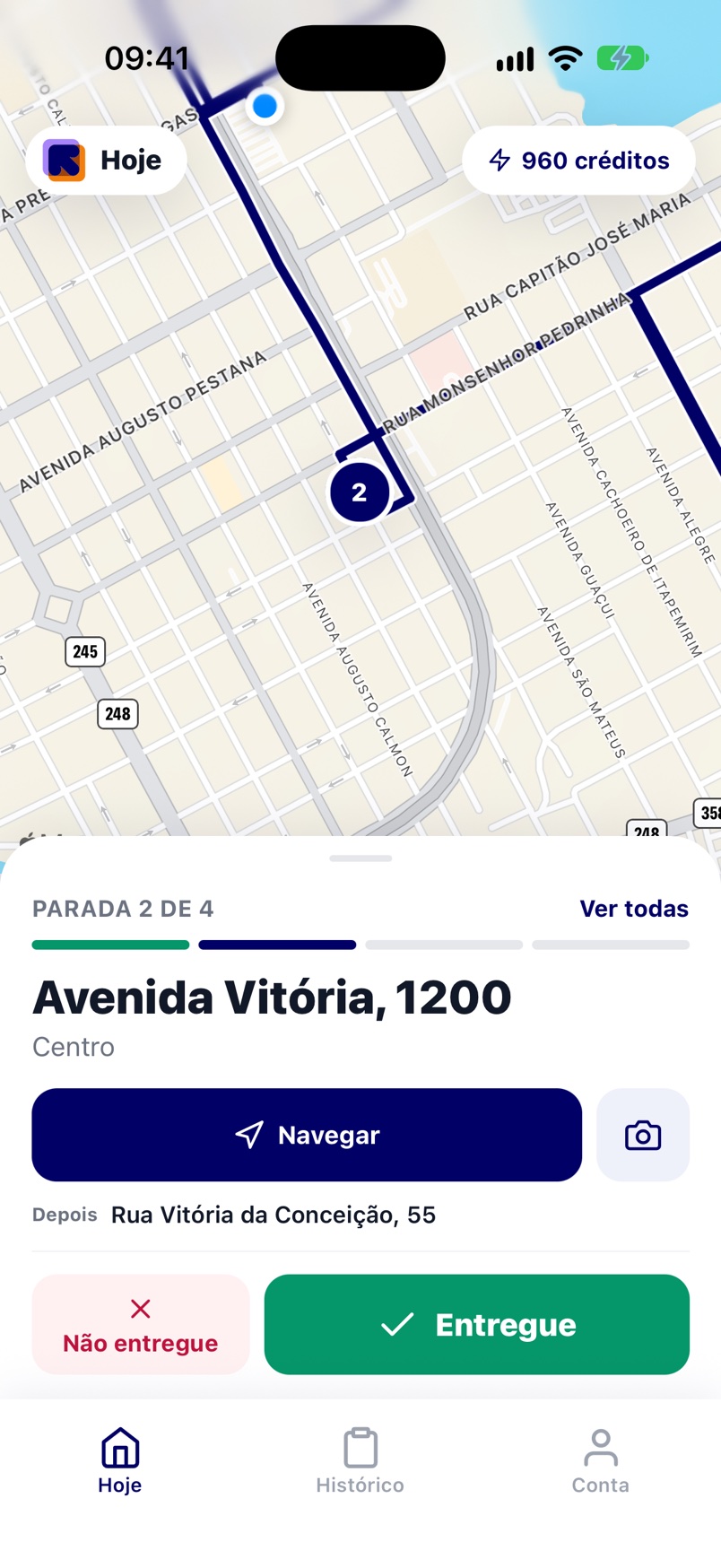
Deliver in one tap
The app shows one stop at a time, with a large address and the navigate button. When you arrive, tap Delivered and the next stop shows up. At the end, the day summary is ready.
Automatic routing
The best order builds itself.
You only add the stops. MR Lite works out the route and rebuilds it when a package comes in or out.
- Map with numbered stopsDistance and time for the whole route before you leave.
- No stop limitOptimize as often as you need, with no credits spent.
- Doubtful addresses flaggedThe app marks what needs checking before you leave.
Delivery mode
Arrived? One tap and the next stop shows up.
One stop at a time, with everything you need at that door.
- Large address on screenReadable with the phone on the bike mount.
- Navigate and call in one tapOpens your phone map or calls the customer.
- Delivered or not deliveredOne tap records it. Reason and photo come in when you need them.
What comes in the app
Everything the street demands, nothing in the way
Label reading
Photograph several in a row. Each photo becomes a stop with customer and address, no form.
Automatic, unlimited routing
The best order comes out by itself and rebuilds with every new package. It uses no credits and has no stop limit.
One stop at a time
Large address, navigation and a call to the customer in one tap, in the right sequence.
Proof on every delivery
Delivered in one tap, with a photo and a note when you need them. The reason for a failed delivery is kept too.
PDF run sheet
One tap builds the day's report, stop by stop, to report back to whoever hired you.
Tracking link
Share live route progress with your contractor or with the customer.
Works with no signal
It records the delivery on the phone and syncs on its own when the internet is back.
Your numbers
Deliveries, routes, distance and time on the road for the last 30 days, plus a map of where you delivered.
In your language
Portuguese, English, Spanish, French and German, with your country’s addresses and currency.
Comparison
Why switch from what you use today
Compared by type of tool, not by brand. Always check each service’s current plan before you decide.
- has it
- depends on the plan
- does not have it
- not your call
Label photo
- MR LiteBecomes a stop right away
- International route appType it or import a spreadsheet
- Carrier’s systemArrives ready from the office
Stops per route
- MR LiteNo limit
- International route appUsually capped on the free plan
- Carrier’s systemSet by the company
Optimising
- MR LiteUnlimited, costs no credit
- International route appCounts against your plan
- Carrier’s systemThe office does it
Proof of delivery
- MR LitePhoto, note and time
- International route appVaries with the plan
- Carrier’s systemYes, to the company’s standard
Daily run sheet
- MR LitePDF in one tap
- International route appReport in the dashboard
- Carrier’s systemIn their system
Price
- MR LiteIn your currency, on the Play Store
- International route appUsually in a foreign currency
- Carrier’s systemDeducted from your pay
What it costs
You pay for the camera, not for the route
Install it, try it free and see the price in your currency right in your phone’s store.
Free trial
Start without paying anything
Install it, create your first route and run a full day before you decide.
- A whole route, from the first parcel to the last
- Routing and navigation unlocked
- PDF run sheet at the end of the day
Monthly subscription
Billed by the store, in your currency
It renews every month and you cancel whenever you like, in the Play Store, without talking to anyone.
- Routes and stops with no limit
- Unlimited routing, no credit spent
- Run sheet history and your numbers
- Support in your language
Label credits
Only the photo uses credit
Each label read by the camera uses one credit. Typed addresses and routing use nothing.
- Packs of 25, 50 and 120 credits
- Credits you buy never expire
- Buy more only when you need it
Subscription and credits are billed by Google Play in your country’s currency. Refunds can be requested up to 7 days after purchase.
Questions from the road
What drivers ask before installing
Do I have to pay to optimise a route?
No. Routing is unlimited and uses no credit. Optimise as often as you like, including after removing or adding a parcel.
What are credits for?
Only for turning the label photo into an order. Addresses typed into the search and route optimisation use no credit.
Do credits expire?
No. Credits you buy stay on your account until you use them.
Is there a cap on stops per route?
No. Load as many parcels as fit in your car or on your bike.
Does it work without internet?
Yes. The app records the delivery on your phone and syncs on its own when the signal is back.
How do I report back to whoever hired me?
At the end of the route the app builds a PDF run sheet with the time and result of every stop. You can also send a tracking link to follow the route live.
Is there an iPhone version?
Yes. MR Lite is on Google Play and on the App Store, with the same features on both.
I already use the carrier’s app. Can I use both?
You can. MR Lite is your own organisation: the route, the proof and the run sheet stay with you, whoever handed you the load.
Tomorrow morning you leave with the route ready
Install MR Lite, photograph your packages and watch the route build itself.
Android and iPhone · Free trial · Cancel in the store whenever you like