Dock loading
Every truck at the right dock, at the right time.
Every shipment gets a dock and a time, the driver sees it all in the app and checks in at the base, and the operation runs the queue in real time. The punctuality of each loading goes into the freight closing.
- Schedule suggested by dock
- Live queue on the panel
- Check-in in the driver app
- Punctuality in the freight
How it works
From schedule to freight, no spreadsheet.
The loading window leaves the spreadsheet and the group chat and becomes a single flow, from the dock to the closing.
- 1
Schedule
A dock and a time for every shipment, by hand, by spreadsheet or suggested by the system.
- 2
Queue by dock
Once published, the driver is notified and joins the dock's queue.
- 3
Arrival
Check-in in the app, automatic arrival through the geofence or recorded by the operation.
- 4
Loading
Call, start and finish on the panel, with the full history.
- 5
Freight closing
On time earns a bonus; delays and no-shows become penalties.
01Schedule
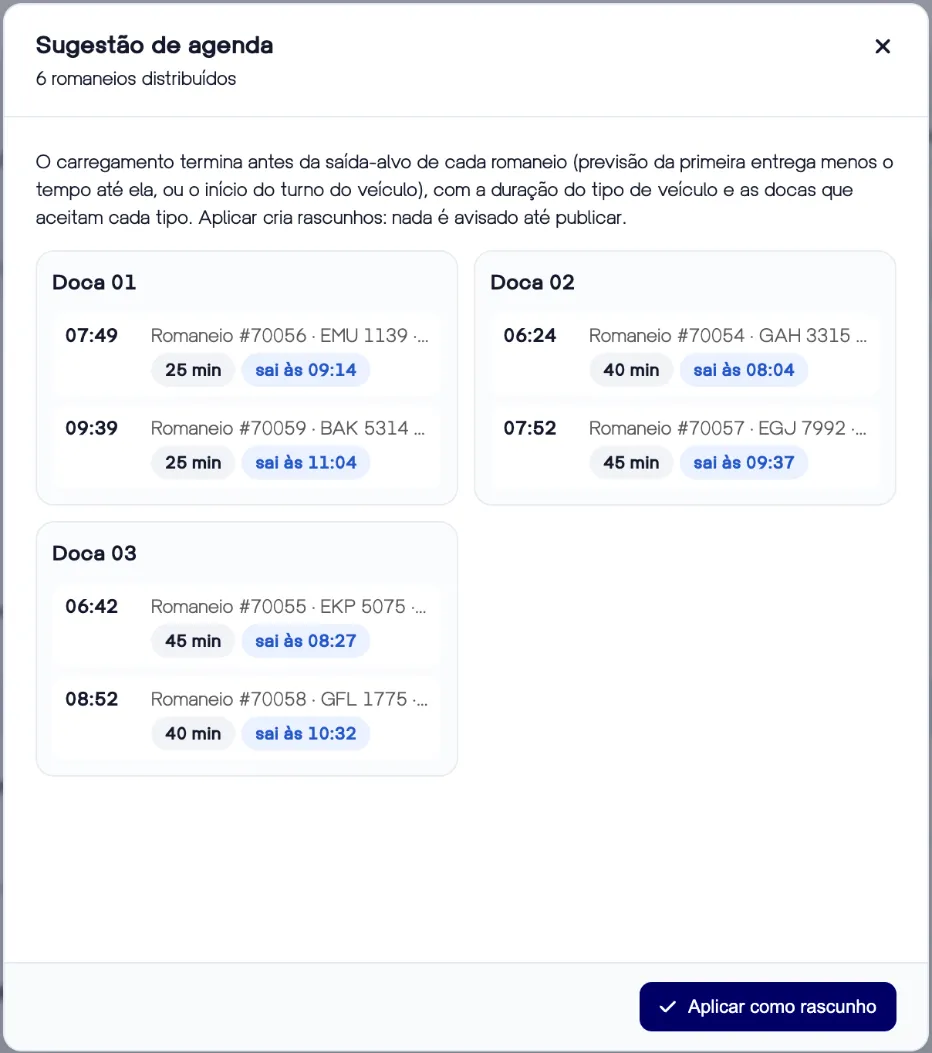
The day's schedule built in one click
The suggestion spreads shipments across docks so each loading ends before departure: the first delivery's forecast minus the travel time to it, with the vehicle type's duration and the docks that accept each type.
02Publishing
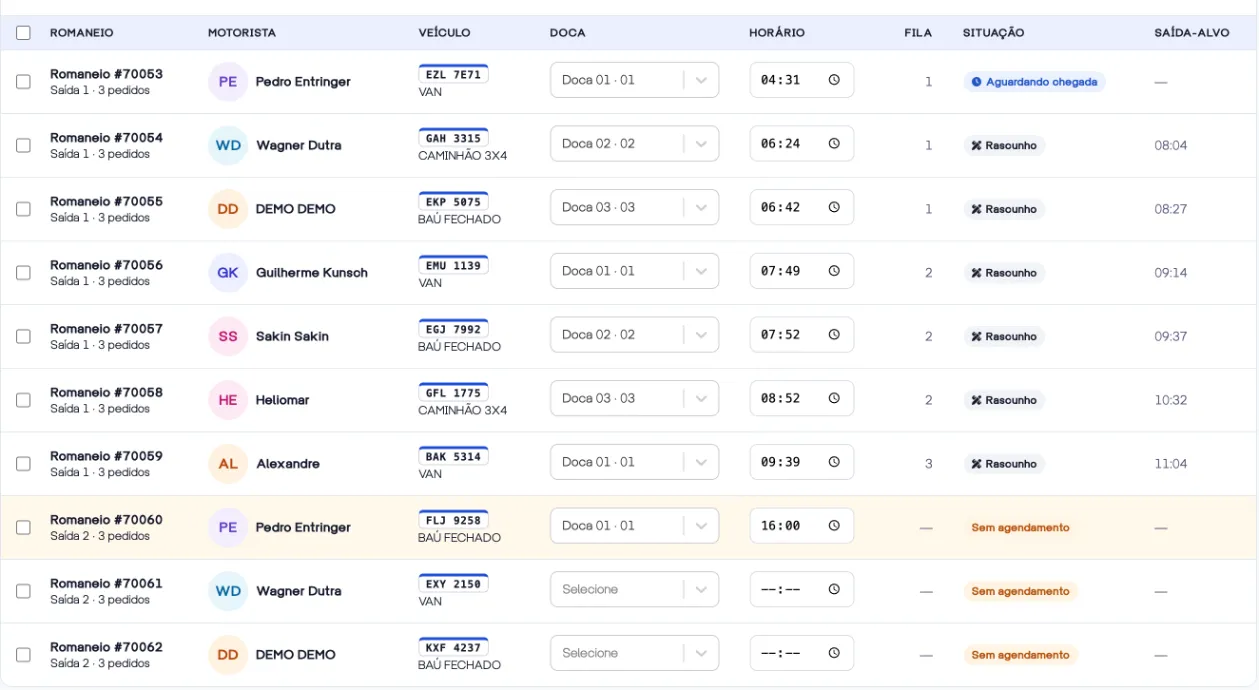
Review as a draft, publish and the driver knows
Build the day as a draft, adjust dock and time on the row and publish all at once or by selection. Each driver gets the dock, the time and the queue position in the app. The schedule won't publish a time that has already passed.
03Live panel
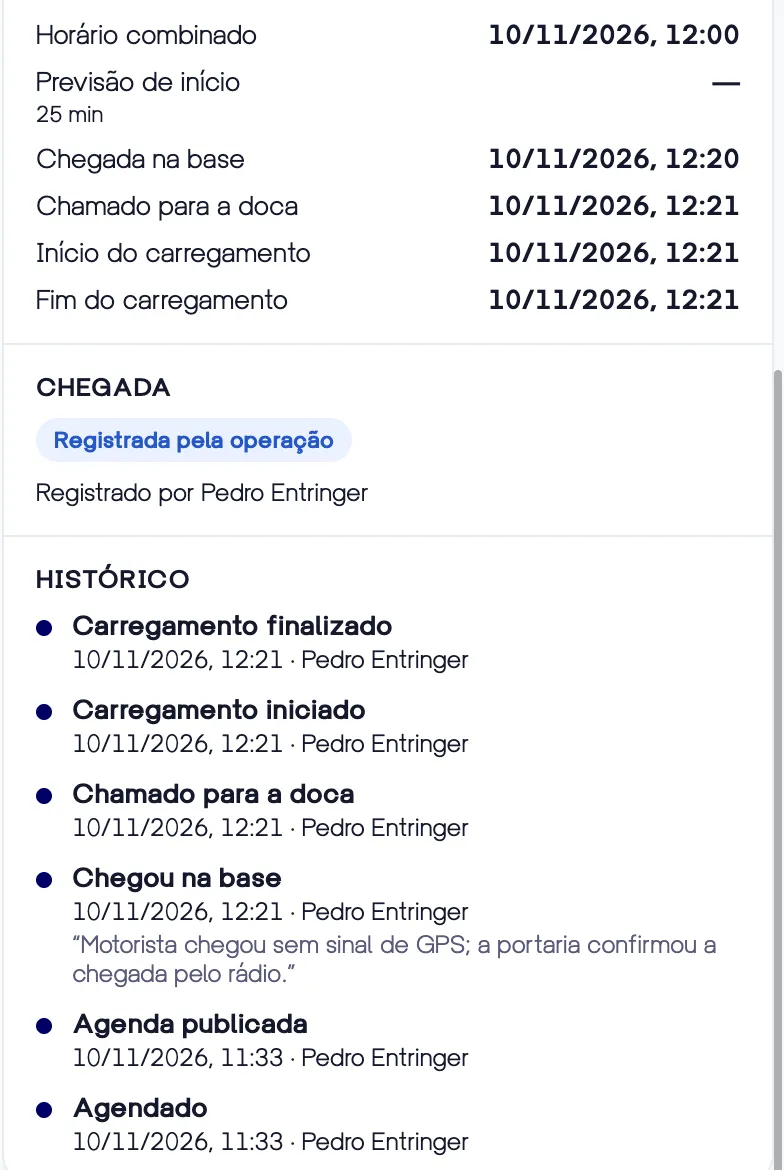
Every dock's queue, without asking on the radio
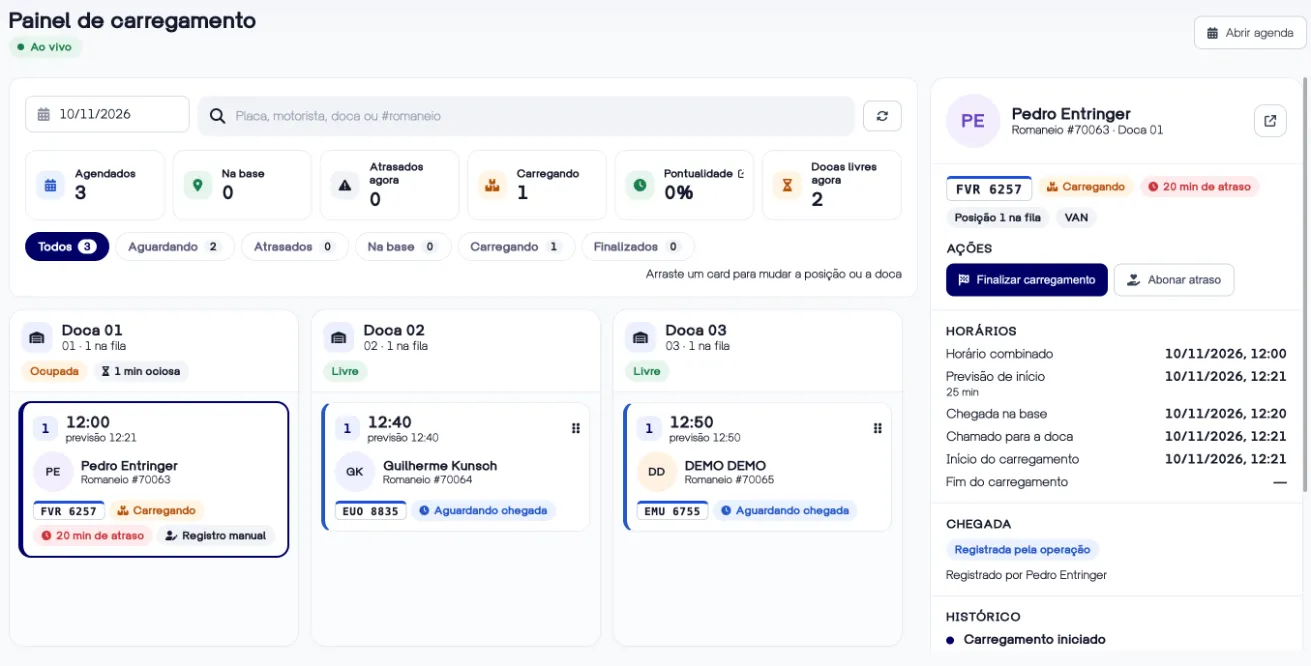
One column per dock, showing who is on the way, who has arrived and who is loading. Call to the dock, start and finish on the card, drag to change the queue and see the history of every action, with time and author.
04TV mode
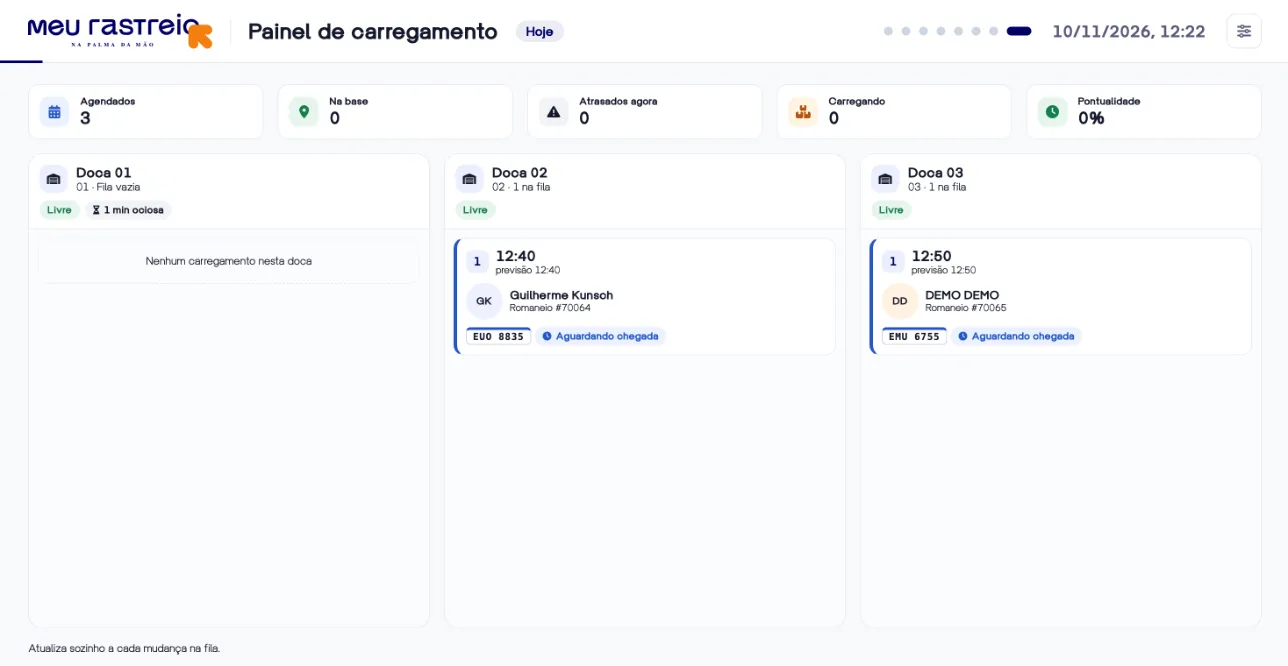
The queue on the yard TV
Keep the panel on a TV in the shipping area: drivers and checkers see each one's dock and turn, updated on its own with every change in the queue.
05Driver app
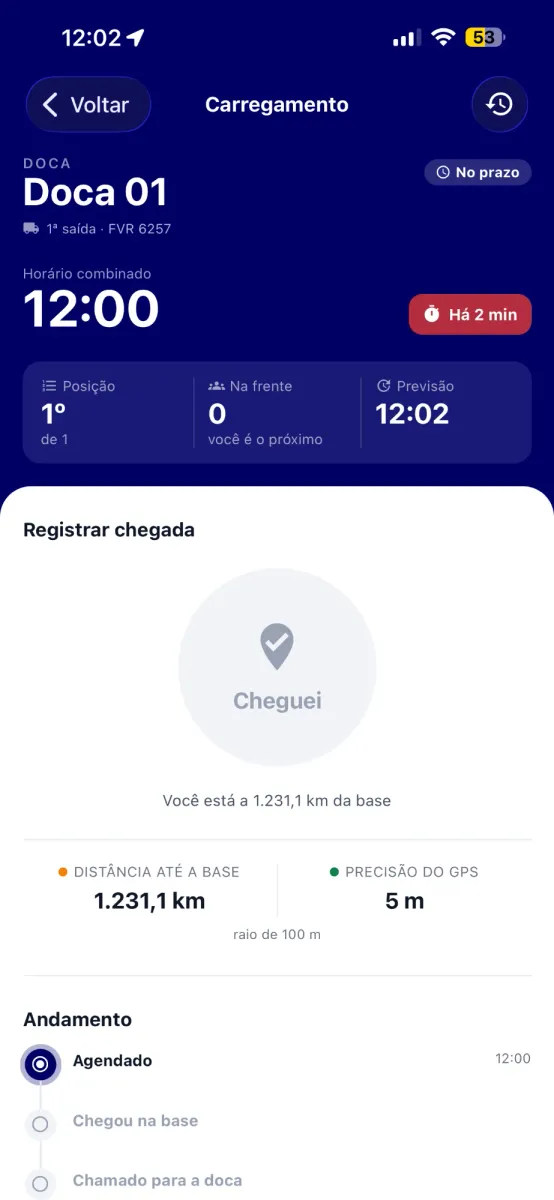
Check-in, only when they really arrived
The check-in button unlocks inside the base's radius and with accurate GPS, and the server checks the position again. With automatic arrival, the app records it on its own when entering the geofence, even in the background.
06Notifications
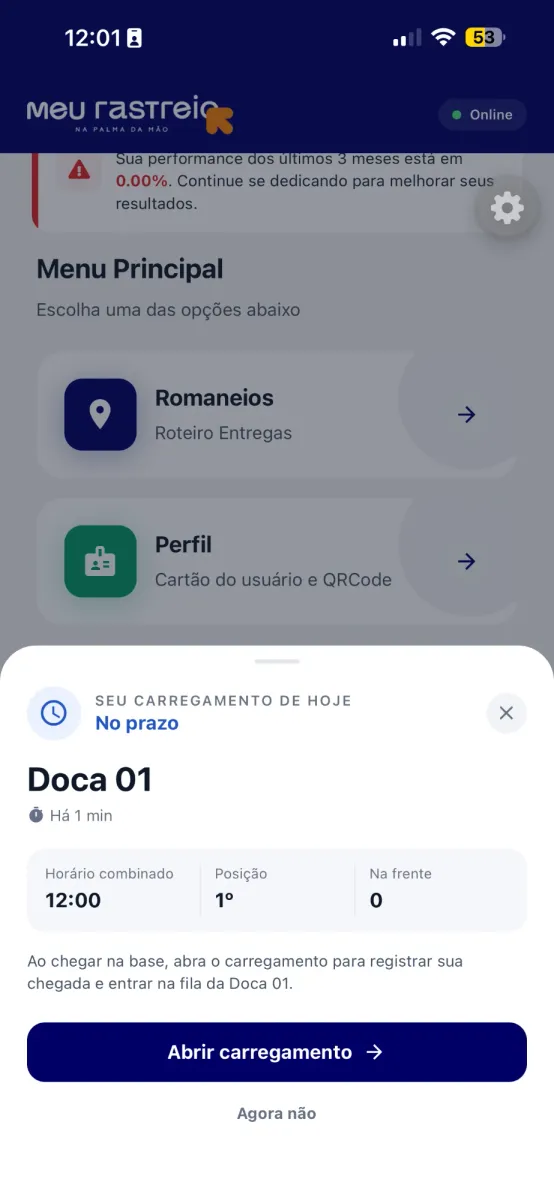
Drivers know their turn before they ask
A popup on the home screen and a highlighted card with dock, time and position. Notifications for scheduling, reminders, queue changes and delays, and "Your turn" when the operation calls them to the dock.
07Punctuality in freight
Arrived on time, the freight shows it
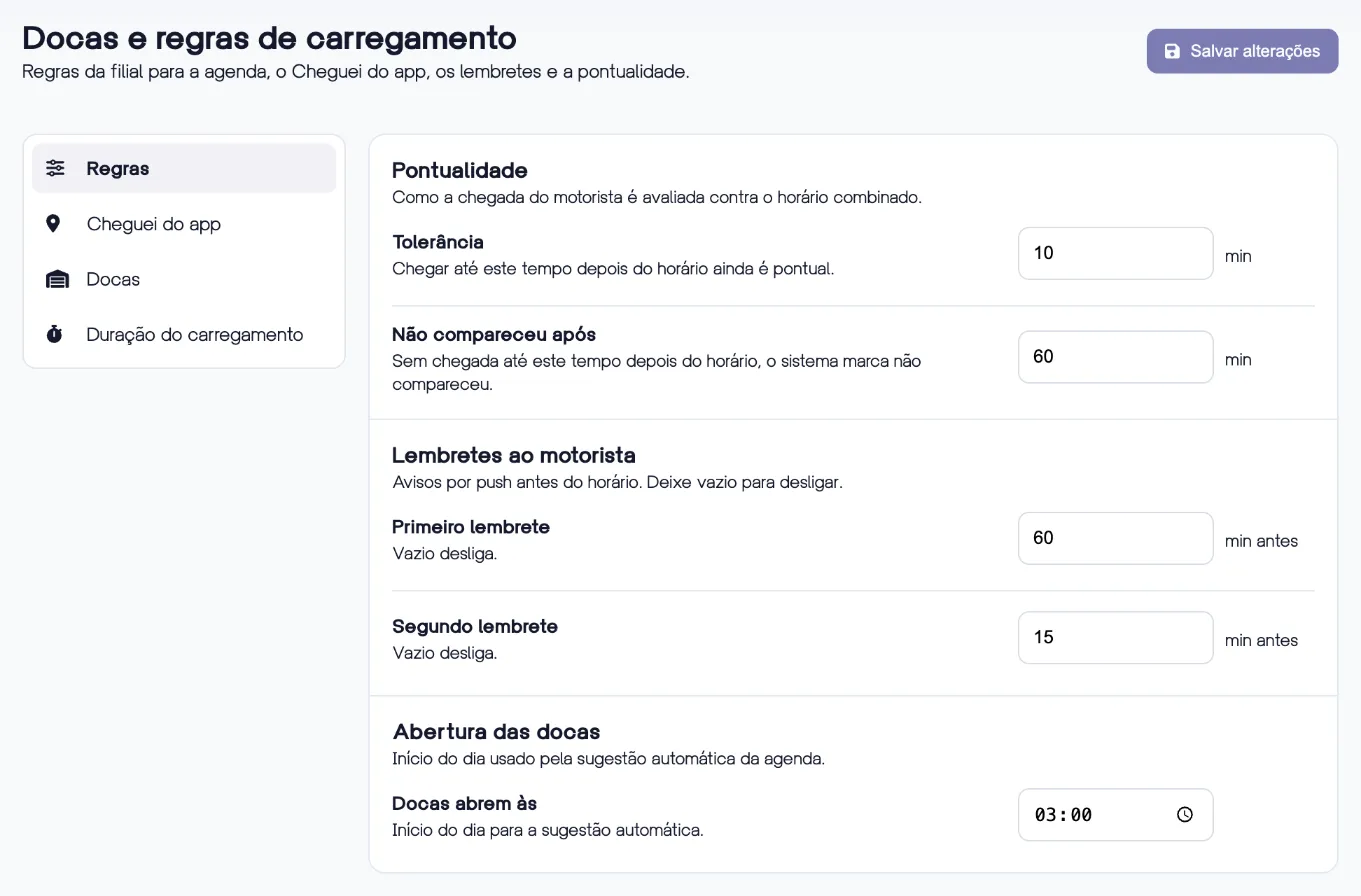
Set the tolerance and the no-show limit. On time or excused earns a bonus, delays and no-shows become penalties, straight into the freight closing. A delay caused by the base can be excused by the manager.
08Reports
Punctuality and idle time in numbers
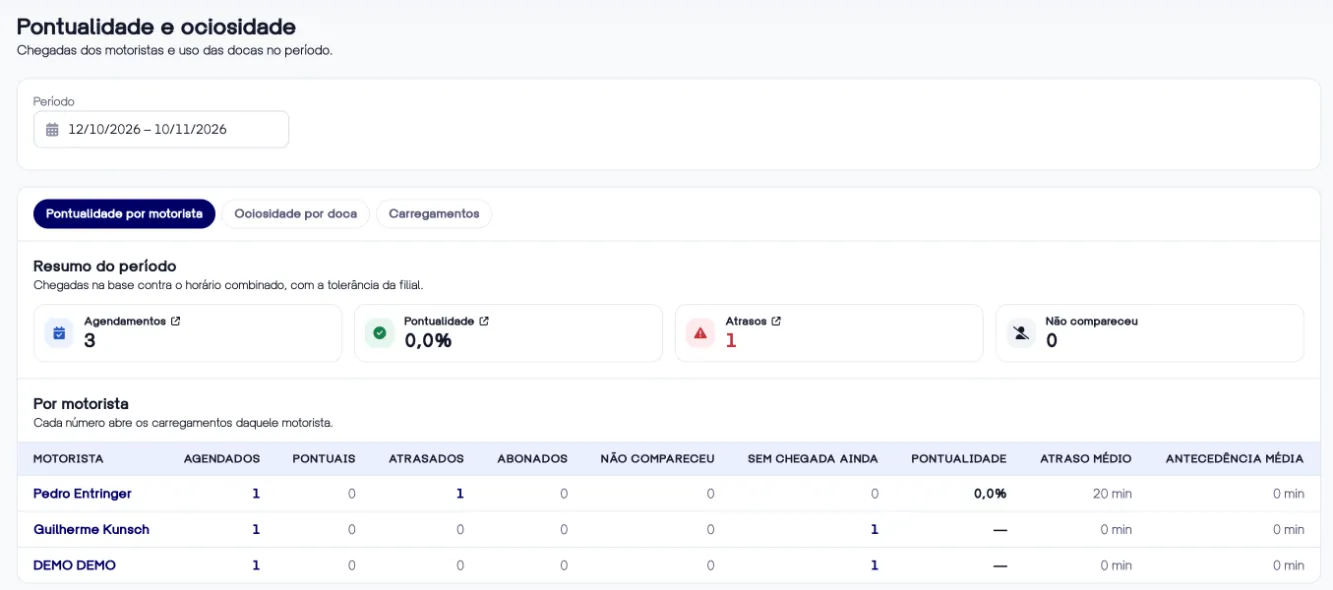
Punctuality by driver, with delays, no-shows and early arrivals, and idle time by dock, with time loading and time stopped each day. Every number opens the list of loadings.
In the details
Built for a real yard
The rules that prevent arguments at the end of the month.
Duration by vehicle type
Each type takes the dock for its own time. The duration measured over the last 30 days shows when the setting is optimistic.
Geofence at the gate
Mark the check-in point on the map and the radius. Without a mark, the branch address is used.
Reminders before the time
Two push reminders before the agreed time, as early as the branch chooses.
Automatic no-show
With no arrival by the limit, the system marks the no-show on its own. If the driver arrives later, it becomes a delay.
Excuses with a reason
Changed the queue because of the base? The reason decides who is penalized, and the manager can excuse the delay.
Webhooks
Scheduled, arrived, late, queue changed, called and finished reach your automations and integrations.